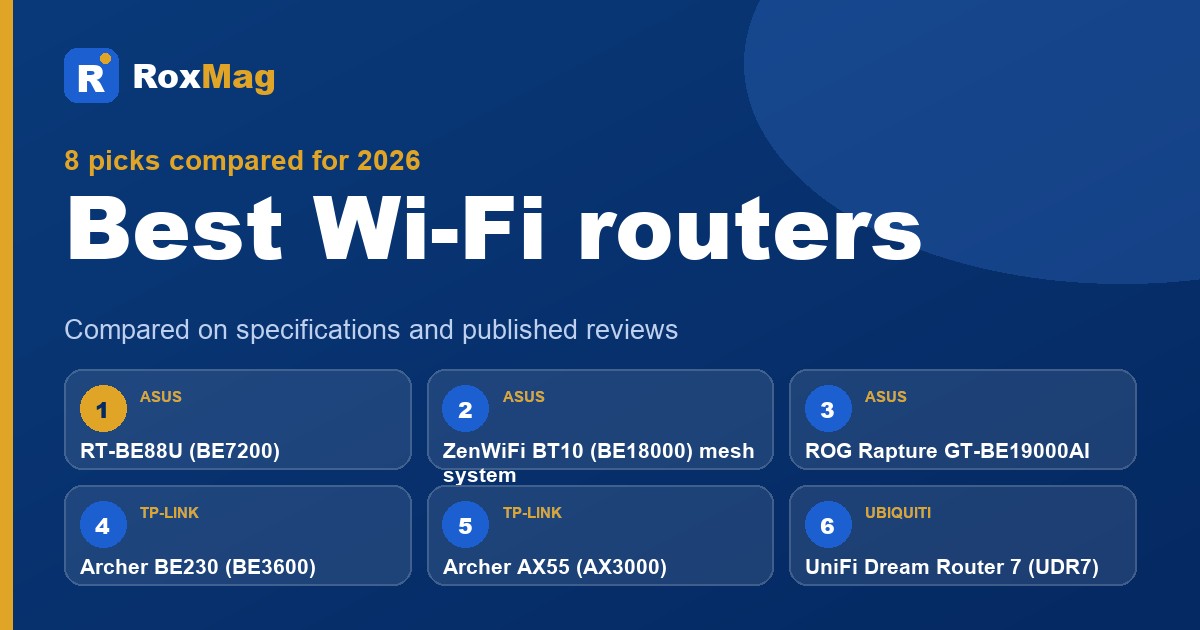
Best Wi-Fi routers in 2026
We compared eight current Wi-Fi routers and mesh systems on manufacturer specifications and published reviews, and explain what Wi-Fi 6, 6E and 7 mean for your home.
RoxMag may earn a commission if you buy through the links on this page, at no extra cost to you. It never changes our picks. How we choose.
If you are shopping for the best wifi routers, this guide is for you, and the ASUS RT-BE88U (BE7200) is our best all-round pick. The other picks cover different needs: the TP-Link Archer AX55 and Archer BE230 suit tighter budgets, the ROG Rapture GT-BE19000AI targets gamers, and the NETGEAR Orbi 870 and ASUS ZenWiFi BT10 serve large homes as mesh kits.
Three things decide a good choice here. First, check the radio layout: some Wi-Fi 7 models, including the RT-BE88U, Archer BE230 and Nighthawk RS200, carry radios for 2.4 GHz and 5 GHz only, so 6 GHz requires a tri-band design. Second, port speed can limit mesh throughput, as a review of the Orbi 770 found with its 2.5 Gbps ports. Third, US availability now depends on FCC authorization, since foreign-made consumer routers joined the Covered List on 23 March 2026. RoxMag compares manufacturer specifications and published reviews and does not hands-on test.
Our top picks
| # | Pick | Best for |
|---|---|---|
| 1 | ASUS RT-BE88U (BE7200)Best overall Wi-Fi 7 router | Fast dual-band homes with multi-gig broadband |
| 2 | ASUS ZenWiFi BT10 (BE18000) mesh systemBest mesh system for large homes | Big homes needing 10 Gbps wired backhaul |
| 3 | ASUS ROG Rapture GT-BE19000AIBest for gaming | Gamers wanting top tri-band performance and AFC |
| 4 | TP-Link Archer BE230 (BE3600)Best budget Wi-Fi 7 | Small homes wanting cheap Wi-Fi 7 |
| 5 | TP-Link Archer AX55 (AX3000)Best budget Wi-Fi 6 | Budget buyers on sub-gigabit broadband |
| 6 | Ubiquiti UniFi Dream Router 7 (UDR7)Best for home office | Prosumers needing multi-gig ports and PoE |
| 7 | NETGEAR Orbi 870 Series (RBE873) 3-packBest premium mesh | Very large homes wanting wide tri-band coverage |
| 8 | NETGEAR Nighthawk RS200 (BE6500)Best for easy setup | Beginners in apartments and small homes |
ASUS RT-BE88U (BE7200)
Best for: Fast dual-band homes with multi-gig broadband
The RT-BE88U earns our overall pick because it pairs a 2.6 GHz quad-core chip and 2 GB of RAM with a port layout that suits multi-gig broadband. Its 5 GHz band reaches 5764 Mbps and the 2.4 GHz band 1376 Mbps, and the rear panel carries two 10 Gbps connections, one copper and one SFP+, plus four more multi-gig ports. Dong Knows Tech's 2026 roundup of dual-band Wi-Fi 7 routers places it second, describing a well-judged balance of speed, features and price.
What we like
- A published 2026 dual-band Wi-Fi 7 roundup from Dong Knows Tech puts it in second place and describes it as ASUS's flagship dual-band model with a sensible blend of performance, features and cost.
- Ten ports in total, six of them multi-gig and one an SFP+ cage, with Dual-WAN, link aggregation and AiMesh 2.0 all supported.
- AiProtection Pro, guest networks and parental controls are listed by ASUS, and no subscription is mentioned.
Trade-offs
- There is no 6 GHz radio, so it stays a dual-band design.
- Only one 10GBASE-T port is fitted, and the unit cannot be mounted on a wall.
Key specifications
| Wi-Fi standard | Wi-Fi 7 (802.11be), BE7200 class, dual-band |
|---|---|
| 5 GHz speed | Up to 5764 Mbps |
| 2.4 GHz speed | Up to 1376 Mbps |
| Ports | 1x 10 Gbps WAN/LAN, 1x 10 Gbps SFP+, 1x 2.5 Gbps WAN/LAN, 3x 2.5 Gbps LAN, 4x 1 Gbps LAN, 1x USB 3.2 Gen 1 |
| Processor | 2.6 GHz quad-core |
| Memory | 256 MB flash and 2 GB RAM |
| Antennas | 4 external |
| Mesh and modes | AiMesh node or router, access point, repeater, media bridge |
ASUS ZenWiFi BT10 (BE18000) mesh system
Best for: Big homes needing 10 Gbps wired backhaul
The ZenWiFi BT10 earns our large-home label because each unit carries two 10 Gbps ports, so a wired backhaul between nodes can run at multi-gigabit speed instead of sharing a slower link. Its tri-band Wi-Fi 7 radios are rated up to 11529 Mbps on 6 GHz, 5764 Mbps on 5 GHz and 688 Mbps on 2.4 GHz, and the 2.0 GHz quad-core chip with 2 GB RAM supports that load. Dong Knows Tech's September 2026 roundup placed it second at 8.6 out of 10.
What we like
- Dong Knows Tech ranked it second in its September 2026 Wi-Fi 7 mesh roundup with a score of 8.6 out of 10.
- Each unit has two 10 Gbps ports, and the review praised its performance, feature-rich ASUSWRT 5.0 software, strong web interface and compact fanless build.
- The same roundup notes it can outperform ASUS's pricier ZenWiFi BQ16 Pro in some situations.
Trade-offs
- Each unit provides only three network ports in total.
- It lacked AFC support when it launched.
- It cannot be mounted on a wall as shipped.
Key specifications
| Wi-Fi standard | Wi-Fi 7 (802.11be), BE18000 class, tri-band |
|---|---|
| 6 GHz speed | Up to 11529 Mbps |
| 5 GHz speed | Up to 5764 Mbps |
| 2.4 GHz speed | Up to 688 Mbps |
| Ports per unit | 1x 10G WAN/LAN, 1x 10G LAN, 1x 1G WAN/LAN, 1x USB 3.0 |
| Processor | 2.0 GHz quad-core |
| Memory | 2 GB RAM, 256 MB flash |
| Antennas | 8 internal |
ASUS ROG Rapture GT-BE19000AI
Best for: Gamers wanting top tri-band performance and AFC
The ROG Rapture GT-BE19000AI earns the gaming label through its tri-band Wi-Fi 7 design, with a 6 GHz band rated to 11529 Mbps at 320 MHz and eight external antennas. Dong Knows Tech's 2026 gaming roundup places it first and describes it as possibly ASUS's finest router, noting AFC support that stretches 6 GHz reach. A 2.6 GHz quad-core processor and dedicated AI core with 4 GB RAM each back the Gear Accelerator, Gaming Port and Mobile Game Mode tools.
What we like
- Ranked first in Dong Knows Tech's 2026 gaming roundup, which credits AFC with extending 6 GHz coverage and notes Edge AI plus Docker support.
- Published review reports solid real-world Wi-Fi 7 throughput, ASUSWRT 6.0 firmware with plenty of free features, no vendor account needed, and cool, quiet running.
- Gaming extras include Gear Accelerator, a dedicated Gaming Port and Mobile Game Mode, backed by a 2.6 GHz quad-core CPU.
Trade-offs
- Described as bulky and expensive in the same review.
- The Docker and AI features are called buggy and impractical by the reviewer.
- Not designed for wall mounting, according to the 2026 tri-band roundup.
Key specifications
| Wi-Fi standard | Wi-Fi 7 (802.11be), tri-band |
|---|---|
| 6 GHz speed | Up to 11529 Mbps (320 MHz) |
| 5 GHz speed | Up to 5764 Mbps |
| 2.4 GHz speed | Up to 1376 Mbps |
| Ports | 1x 10 Gbps WAN/LAN, 1x 10 Gbps LAN, 1x 2.5 Gbps WAN/LAN, 3x 2.5 Gbps LAN, 1x 1 Gbps LAN, 1x USB 3.2 Gen 1, 1x USB 2.0 |
| Processor | 2.6 GHz quad-core |
| Memory | Router: 32 GB flash and 4 GB RAM; AI core: 32 GB flash and 4 GB RAM |
| Antennas | 8 external |
TP-Link Archer BE230 (BE3600)
Best for: Small homes wanting cheap Wi-Fi 7
The Archer BE230 earns our budget Wi-Fi 7 label because it brings the new standard to small homes at a low cost. It runs dual-band Wi-Fi 7 with 2882 Mbps on 5 GHz and 688 Mbps on 2.4 GHz, plus one 2.5 Gbps WAN port, one 2.5 Gbps LAN port and three gigabit LAN ports. A roundup published by Dong Knows Tech placed it third among dual-band Wi-Fi 7 routers and called its performance excellent given the modest hardware. It also supports EasyMesh, ideally with wired backhaul.
What we like
- A published dual-band Wi-Fi 7 roundup from Dong Knows Tech ranked it third and described its performance as excellent for the hardware it carries.
- Two 2.5 Gbps ports sit alongside Wi-Fi 7, and the router can be added to an EasyMesh network, with wired backhaul preferred.
Trade-offs
- The same roundup flags the absence of 10 Gbps ports and Dual-WAN, along with Wi-Fi 7 specifications that are modest.
- HomeShield's free tier is the Basic Plan only; online protection and advanced parental controls require a paid subscription.
Key specifications
| Wi-Fi standard | Wi-Fi 7 (802.11be), dual-band |
|---|---|
| 5 GHz speed | 2882 Mbps |
| 2.4 GHz speed | 688 Mbps |
| Ethernet ports | 1x 2.5 Gbps WAN, 1x 2.5 Gbps LAN, 3x 1 Gbps LAN |
| USB | 1x USB 3.0 |
| Antennas | 4 external antennas with beamforming |
| Wi-Fi 7 features | Multi-Link Operation, 4K-QAM, Multi-RUs, OFDMA, 2x2 MU-MIMO |
| Mesh | EasyMesh compatible |
TP-Link Archer AX55 (AX3000)
Best for: Budget buyers on sub-gigabit broadband
The Archer AX55 earns the budget Wi-Fi 6 label by pairing an AX3000 dual-band radio with a price position aimed at households on sub-gigabit broadband. Its 5 GHz band reaches up to 2402 Mbps using 160 MHz channels, and the spec sheet also lists OFDMA, Target Wake Time and WPA3. Four fixed antennas and a dual-core CPU handle the basics, while OneMesh and EasyMesh support lets owners add compatible units later. The trade-offs are a ceiling of Gigabit Ethernet on every port and no 6 GHz band.
What we like
- 5 GHz throughput reaches 2402 Mbps with 160 MHz channels, and the feature list includes OFDMA, Target Wake Time and WPA3.
- Owners can extend coverage later because the router works with both OneMesh and EasyMesh add-on units.
Trade-offs
- Every Ethernet port is Gigabit, so multi-gig broadband plans cannot be fully used.
- It is dual-band Wi-Fi 6 only, with no 6 GHz radio and no Wi-Fi 7 features.
Key specifications
| Wi-Fi standard | Wi-Fi 6 (802.11ax), dual-band AX3000 |
|---|---|
| 5 GHz speed | Up to 2402 Mbps (HE160) |
| 2.4 GHz speed | 574 Mbps |
| Ethernet ports | 1x Gigabit WAN, 4x Gigabit LAN |
| USB | 1x USB 3.0 (Time Machine, FTP, media, Samba) |
| Antennas | 4 fixed external antennas |
| Processor | Dual-core CPU |
| Mesh | OneMesh and EasyMesh |
Ubiquiti UniFi Dream Router 7 (UDR7)
Best for: Prosumers needing multi-gig ports and PoE
The Dream Router 7 earns our home office label because every one of its four RJ45 ports runs at 2.5 GbE and one supplies PoE, so a desk setup can add an access point or camera without a separate injector. Dong Knows Tech placed it first in its June 2026 tri-band Wi-Fi 7 roundup, describing it as ideal for entry-level multi-gig use. A 10G SFP+ port, mesh control and a 160 m2 coverage rating round it out, and reviewers note it runs quietly.
What we like
- Dong Knows Tech's June 2026 Wi-Fi 7 roundup put it in first place, praising its suitability for entry-level multi-gig networks.
- Reviewers highlight that all LAN ports are multi-gig, PoE is built in, and it doubles as a mesh controller with a broad feature set.
- It is described as quiet in operation and priced relatively affordably for what it offers.
Trade-offs
- There is just one 10 Gbps port, and the single PoE port delivers only low power.
- The unit relies on an internal fan, and 2.4 GHz throughput drew criticism.
- Setup depends on the UniFi Network application, version 9.0.108 or newer, so you stay inside that ecosystem.
Key specifications
| Wi-Fi standard | 802.11a/b/g/n/ac/ax/be (Wi-Fi 6/6E, Wi-Fi 7) |
|---|---|
| 6 GHz max throughput | 5.7 Gbps |
| 5 GHz max throughput | 4.3 Gbps |
| 2.4 GHz max throughput | 688 Mbps |
| MIMO | 2x2 on each band, DL/UL MU-MIMO |
| Ports | 4x 2.5 GbE RJ45 (1 PoE), 1x 10G SFP+ |
| PoE budget | 15.4W |
| Processor and memory | Quad-core ARM Cortex-A53 at 1.5 GHz, 3 GB |
NETGEAR Orbi 870 Series (RBE873) 3-pack
Best for: Very large homes wanting wide tri-band coverage
The Orbi 870 earns our premium mesh label by pairing WiFi 7 tri-band hardware rated at BE21000 with a 10 Gig WAN and four 2.5 Gig LAN ports on the router. A three-pack is rated for up to 9,000 sq. ft., with eight internal antennas in each unit. Dong Knows Tech placed it fifth in its September 2026 roundup at 8.0 out of 10, praising the simple tri-band layout and solid performance. Buyers should note that backhaul shares the 5 GHz and 6 GHz bands rather than using a dedicated radio.
What we like
- Dong Knows Tech's September 2026 mesh roundup gave it 8.0 out of 10 and fifth place, highlighting its uncomplicated tri-band design and strong performance.
- The router includes a 10 Gbps WAN connection plus four 2.5 Gig LAN ports, and each satellite carries four 2.5 Gig LAN ports.
- Coverage is rated at up to 9,000 sq. ft. for the three-unit kit, or roughly 3,000 sq. ft. per unit.
Trade-offs
- Unlike the Orbi 770 series, this model has no permanently dedicated backhaul radio; NETGEAR reserves that feature for the Orbi 970.
- The port selection stops at 2.5 Gig on the LAN side, there is no USB connection, 6 GHz settings cannot be adjusted by the user, and the number of SSIDs is restricted.
- The reviewer described the app as weak, called the free networking features sparse, and pointed out that online protection needs a paid subscription.
Key specifications
| Wi-Fi standard | WiFi 7 (802.11be), BE21000, tri-band |
|---|---|
| Speed | Up to 21 Gbps |
| Router ports | 1x 10 Gig WAN, 4x 2.5 Gig LAN |
| Satellite ports | 4x 2.5 Gig LAN each |
| Coverage | Up to 9,000 sq. ft. for the 3-pack (up to 3,000 sq. ft. per unit) |
| Backhaul | Wireless backhaul via WiFi 7 Multi-Link Operation across shared 5 GHz and 6 GHz; optional wired backhaul over 2.5 Gig Ethernet |
| Processor | Quad-core 1.5 GHz |
| Antennas | 8 internal per unit |
NETGEAR Nighthawk RS200 (BE6500)
Best for: Beginners in apartments and small homes
The RS200 earns the easy-setup label because NETGEAR pairs a fanless, cool-running body with a web interface it calls robust and an optional phone app, so beginners in apartments and small homes can get online without fuss. It is the company's first standalone dual-band WiFi 7 router, covering up to 2,500 sq. ft. with four internal antennas and a quad-core 2.0 GHz chip. Dong Knows Tech's 2026 roundup placed it fifth at 7.8 out of 10, citing quick, dependable WiFi and friendly pricing.
What we like
- Dong Knows Tech rated it 7.8 out of 10 in its 2026 dual-band WiFi 7 roundup, describing the WiFi as fast and dependable for the hardware and the price as approachable.
- The chassis has no fan, stays cool and looks good, and you can manage it through a solid browser interface or an app if you prefer.
- As NETGEAR's first dual-band WiFi 7 standalone router, it brings the newer standard to a single-unit setup rather than a mesh kit.
Trade-offs
- It cannot join a mesh system as a satellite, which the four other routers in that roundup can do.
- There is no 6 GHz radio and no 10 Gbps port, so the fastest wired and wireless tiers sit out of reach.
- Free features are thin, and parental controls plus online protection depend on the app and paid subscriptions.
Key specifications
| Wi-Fi standard | WiFi 7, dual-band |
|---|---|
| Speed | Up to 6.5 Gbps (2.4 GHz at 0.7 Gbps, 5 GHz at 5.8 Gbps) |
| Ports | 1x 2.5 Gbps internet, 1x 2.5 Gbps LAN, 3x Gigabit LAN, 1x USB 3.0 |
| Coverage | Up to 2,500 sq. ft. |
| Processor | Quad-core 2.0 GHz |
| Antennas | 4 internal with high-power amplifiers |
| Streams | 2.4 GHz 2x2, 5 GHz 4x4 |
| Management | Nighthawk app |
Best Wi-Fi 7 routers
Wi-Fi 7 gear is now easy to find, but the standard arrives in two shapes. Dual-band models such as the ASUS RT-BE88U and the TP-Link Archer BE230 run only on 2.4 and 5 GHz, while tri-band units add a 6 GHz radio. The RT-BE88U is our overall pick: a 2.6 GHz quad-core chip, 2 GB of RAM, 5764 Mbps on 5 GHz and a rear panel with two 10 Gbps links, one copper and one SFP+. Dong Knows Tech's 2026 dual-band roundup ranks it second. The Archer BE230 is the cheap route in, with 2882 Mbps on 5 GHz and a pair of 2.5 Gbps ports, rated third in the same roundup.
For bigger homes, the ASUS ZenWiFi BT10 mesh gives each node two 10 Gbps ports, so a wired link between units does not throttle the network. Its 6 GHz radio is rated to 11529 Mbps and it scored 8.6 out of 10 in Dong Knows Tech's September 2026 mesh roundup. Gamers should look at the ASUS ROG Rapture GT-BE19000AI, first in that outlet's 2026 gaming roundup, with eight external antennas and AFC support to extend 6 GHz range. Before buying, check US availability: since 23 March 2026 the FCC has put foreign-made consumer routers on its Covered List, so newly designed models awaiting authorization cannot be imported or sold there, though approved models remain on sale.
Do you need Wi-Fi 7?
Only if your current router is the bottleneck. Wi-Fi 7 pays off when you have multi-gig broadband and devices that can use it, which is why the RT-BE88U carries two 10 Gbps ports and four more multi-gig connections. If your plan is slower than a gigabit, a Wi-Fi 6 box will likely serve you fine. Note also that the new standard does not promise a 6 GHz band: the Archer BE230 and RT-BE88U are 2.4 and 5 GHz only. And in the US, the FCC's Covered List means some new foreign-made models cannot be sold, so confirm the exact unit is authorized before ordering.
What is the difference between Wi-Fi 6, 6E and 7?
Wi-Fi 6E opened the 6 GHz band to consumer gear, and Wi-Fi 7 builds on that with wider 320 MHz channels there, denser 4K-QAM modulation and Multi-Link Operation, which lets a client use several bands at once. Those features appear on the Archer BE550 spec sheet. The catch is that 6 GHz is optional: tri-band models such as the ZenWiFi BT10 and ROG Rapture GT-BE19000AI include it, while dual-band Wi-Fi 7 routers like the Archer BE230 and RT-BE88U do not. Mesh backhaul also varies, since NETGEAR reserves a dedicated backhaul band for its Orbi 970 only.
Best mesh Wi-Fi systems for large homes
Dead zones on an upper floor usually mean one router cannot push signal through the structure, and that is the point at which a multi-unit kit makes sense. For a big property, the ASUS ZenWiFi BT10 is our pick as the best mesh router for large house layouts: every node includes a pair of 10 Gbps ports, so a cabled link between units moves data at multi-gigabit rates rather than leaning on a slower shared connection. Its tri-band Wi-Fi 7 radios reach 11529 Mbps on 6 GHz, 5764 Mbps on 5 GHz and 688 Mbps on 2.4 GHz, backed by a 2.0 GHz quad-core chip and 2 GB of RAM. Dong Knows Tech's September 2026 roundup scored it 8.6 out of 10 and second place.
Buyers wanting the best mesh wifi with more reach can look at the NETGEAR Orbi 870 Series three-pack, rated for as much as 9,000 sq. ft., or about 3,000 sq. ft. per unit. Its BE21000 tri-band hardware pairs with a 10 Gig WAN and four 2.5 Gig LAN ports on the router, while each satellite adds four more 2.5 Gig ports. Dong Knows Tech ranked it fifth at 8.0 out of 10, noting the straightforward tri-band arrangement. One caveat: it has no permanently reserved backhaul radio, unlike the Orbi 970, and relies on Multi-Link Operation across shared bands or an optional wired 2.5 Gig link.
When do you need mesh instead of a single router?
Choose a mesh kit when rooms on separate floors or at opposite ends of the building keep dropping the connection, because several nodes spread coverage instead of concentrating it at one point. A single router suits a compact home, but thick walls and long distances defeat it. Check the rated coverage before buying: the Orbi 870 three-pack claims up to 9,000 sq. ft., while the ZenWiFi BT10 is aimed at large homes through its port and radio design. Also confirm a model can actually join a mesh, since some routers, such as the Nighthawk RS200, cannot act as a mesh member.
What is wireless backhaul?
Backhaul is the link that carries traffic between nodes and the main router, and it can be cabled or wireless. Many tri-band Wi-Fi 7 mesh kits no longer keep a band solely for this job. NETGEAR says only the Orbi 970 reserves one, and the Orbi 870 instead uses Multi-Link Operation across the 5 GHz and 6 GHz bands, with an optional 2.5 Gig wired alternative. Wired backhaul generally performs better, and the Deco BE63 review also recommends it. Port speed can also cap results: the Orbi 770's 2.5 Gbps ports limit top throughput, whereas the ZenWiFi BT10 offers two 10G ports.
Best gaming routers
For gamers, the practical question is which box keeps ping low and gives you enough wired ports for a console, a PC and a spare. The ASUS ROG Rapture GT-BE19000AI is our pick as the best gaming router: a tri-band Wi-Fi 7 unit with a 2.6 GHz quad-core CPU, eight external antennas and a separate AI core, each with its own memory. Its port stack is unusually generous, pairing two 10 Gbps sockets with several 2.5 Gbps ones, so a desktop and a console can both run on cable. ASUS adds Gear Accelerator, a labelled Gaming Port and Mobile Game Mode. Dong Knows Tech's 2026 gaming roundup puts this model at the top of its list, praising AFC for extending 6 GHz reach, though the same review calls it bulky, costly and weak on Docker and AI features.
Buyers should also note the regulatory backdrop. Since 23 March 2026 the FCC has placed foreign-made consumer routers on its Covered List, which blocks import and sale of new models lacking authorization in the US; hardware already approved, and routers you own, remain fine, and firmware support is waived through at least 1 March 2027. Separately, October 2026 letters questioned whether several TP-Link Wi-Fi 7 models, including the Archer GE800, meet certified power levels, a tentative finding TP-Link is contesting. Wi-Fi 7 itself brings multi-link operation, denser modulation and wider 6 GHz channels, but not every Wi-Fi 7 router has a 6 GHz radio at all.
Does a gaming router really lower ping?
Only partly. No router shortens the distance to a game server, so your baseline latency is set by your ISP and route. What a gaming model can do is stop local congestion from adding delay: the GT-BE19000AI pairs a fast quad-core processor with a dedicated AI core and software such as Gear Accelerator and a Gaming Port that prioritise game traffic over downloads and streams. Wired connections remain the surest fix, which is why its 10 Gbps and 2.5 Gbps LAN ports matter more than any badge. Treat vendor latency claims with caution and expect the biggest gains on busy home networks.
Best budget Wi-Fi routers
Shoppers hunting for the best cheap wifi router for a flat or a small house should start with what their broadband actually delivers. The TP-Link Archer AX55 is the sensible pick if your line stays below a gigabit: it is a dual-band Wi-Fi 6 unit whose wide 5 GHz channel pushes close to the top of what that standard offers, and its wired ports all run at gigabit speed, so a faster plan would be wasted. Step up to the TP-Link Archer BE230 if you want the newer standard without spending much. It is dual-band Wi-Fi 7, meaning no 6 GHz radio, but it carries a pair of multi-gig ports and a published roundup from Dong Knows Tech ranked it third among dual-band Wi-Fi 7 models, praising its results for the hardware inside.
The NETGEAR Nighthawk RS200 suits anyone who dreads configuration. NETGEAR built it fanless, gave it a browser interface plus an app, and Dong Knows Tech placed it fifth in the same roundup with a score of 7.8. One catch: it cannot act as a satellite in a mesh, unlike the EasyMesh and AiMesh rivals. Buyers in the US should also note that since 23 March 2026 the FCC has put foreign-made consumer routers on its Covered List, blocking imports of newly submitted designs, though already-approved hardware stays on sale and firmware support is waived for a period. Separately, October 2026 letters questioned the certified power figures of some TP-Link Wi-Fi 7 models; those findings are provisional and TP-Link is cooperating.
What can a budget router handle?
A cheap router copes well with everyday loads in a small home: streaming on a couple of screens, video calls, browsing and smart plugs. The Archer AX55 covers that comfortably and adds WPA3 security, OFDMA and Target Wake Time, which help when several devices share the air. The Archer BE230 goes further, with multi-gig wired ports and Wi-Fi 7 features such as Multi-Link Operation. What neither does is serve a large multi-floor house or a very heavy device count; for that you need mesh nodes or a tri-band design. Remember that dual-band Wi-Fi 7 brings no 6 GHz band, so the extra capacity of that spectrum is off the table.
Can you use a new router with an old modem?
Usually yes. If your existing box is a plain modem, the router simply plugs into it over Ethernet and handles Wi-Fi and routing itself. The Archer AX55 and Archer BE230 both accept a wired feed on their WAN port, so an ageing modem is fine as long as it works. Trouble comes when the old device is a combined modem-router from your ISP: you then either put it into bridge mode so it stops routing, or accept two layers of network address translation, which can upset gaming and some remote access. Check that your plan's speed matches the router's ports, since gigabit-only hardware caps what a multi-gig line can deliver.
How we chose
Every router in this guide was available to buy when we compiled it. Manufacturer spec sheets supply the technical details, and the reviews behind our findings appear under Sources. RoxMag does not hands-on test products. No brand pays for placement. Prices are omitted because they shift from day to day. Our criteria follow what buyers actually face. Wi-Fi 7 is not a promise of a 6 GHz radio: several dual-band models, the Archer BE230 among them, carry only the older two bands, so check the band list before paying extra. Port speed can also hold back a mesh system, since slow Ethernet caps wired and wireless throughput alike. We also note whether a mesh kit keeps a band solely for backhaul or shares it across clients.
Frequently asked questions
How often should I replace my router?
Replace it when it stops meeting your needs, not on a fixed calendar. If your household now runs Wi-Fi 7 gear and you want Multi-Link Operation, 4K-QAM or wide 6 GHz channels, an older unit holds you back. Check whether a newer model you like is legally sold where you live, since US rules changed in 2026. A working router you already own is still fine to keep using.
Can a new router make my internet faster?
Only up to the speed your broadband plan delivers. A new router helps most on your home network: faster Wi-Fi links, quicker transfers between devices and better handling of many clients at once. Ports matter for wired mesh links, and a review of the Orbi 770 found its 2.5 Gbps connections set the ceiling for throughput. The ZenWiFi BT10 pairs 10G ports with a 10 Gbps wired or wireless backhaul.
Where is the best place to put a router?
Central, open and elevated beats a cupboard or a corner. For mesh kits, coverage claims assume good placement: NETGEAR rates the Orbi 870 three-pack at up to 9,000 square feet, roughly 3,000 per unit, and the Nighthawk RS200 at up to 2,500 square feet. If you can run cable, do it. Reviews of the Deco BE63 and NETGEAR's Orbi 870 both point to wired backhaul as the stronger option.
Is it safe to buy a router made abroad?
Models already authorized for sale in the US remain legal to buy and use, and routers people already own were not recalled. From 23 March 2026, though, newly made foreign routers went onto the FCC Covered List, which blocks imports and sales of models lacking authorization. Security support matters too: firmware updates for authorized routers carry no fee until at least 1 March 2027. Separately, the FCC has tentative, non-final findings about power levels on some TP-Link Wi-Fi 7 models.
Do I need a router with multi-gig ports?
Only if your broadband or your wired mesh links exceed 1 Gbps. Multi-gig Ethernet stops the port being the bottleneck: the Orbi 870 router has a 10 Gig WAN and 2.5 Gig LAN ports, and the Archer BE230 includes 2.5 Gbps WAN and LAN. For most homes on slower plans, standard Gigabit ports are enough, and money is better spent on coverage or on avoiding paid security tiers.
Sources
Specifications come from the manufacturers' own pages. Review findings come from the published reviews below. Products and specifications change, so check the manufacturer page before you buy.
- Dong Knows Tech: Best Wi-Fi 7 Routers of 2026 (updated 9 Jun 2026)
- Dong Knows Tech: Best Wi-Fi 7 Mesh Systems (4 Sep 2026)
- Dong Knows Tech: Best Gaming Routers (updated 26 Apr 2026)
- Dong Knows Tech: Best Dual-Band Wi-Fi 7 Routers (15 Jul 2026)
- Dong Knows Tech: TP-Link Deco 7 Pro BE63 review (updated 2 Feb 2026)
- Dong Knows Tech: NETGEAR Orbi 770 review (2024)
- Dong Knows Tech: Synology WRX560 review (2022)
- Dong Knows Tech: FCC router ban officially in effect
- Dong Knows Tech: FCC action on TP-Link Wi-Fi 7 power limits (28 Oct 2026)
- TP-Link: Archer BE230
- TP-Link: Archer GE650
- TP-Link: Deco BE63
- TP-Link: Archer AX55
- TP-Link: Archer BE550
- ASUS: RT-BE88U tech specs
- ASUS ROG: Rapture GT-BE19000AI specifications
- ASUS ROG: Strix GS-BE18000 specifications
- ASUS: ZenWiFi BT10 tech specs
- NETGEAR: Orbi 870 Series RBE873
- NETGEAR: Nighthawk RS200
- Ubiquiti: UniFi Dream Router 7 tech specs
- Synology: WRX560