Best portable SSDs in 2026
We compared eight current external portable SSDs on manufacturer specifications and published reviews, and explain what the speed ratings really mean.
RoxMag may earn a commission if you buy through the links on this page, at no extra cost to you. It never changes our picks. How we choose.
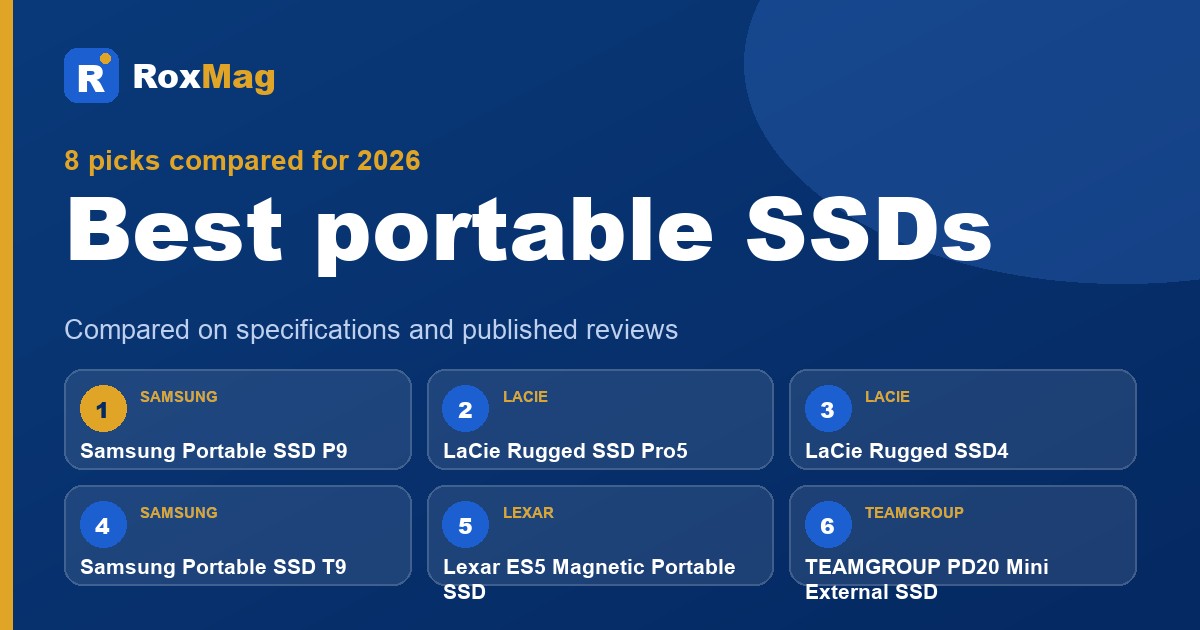
This guide is for anyone weighing up the best portable SSD for backups, video work or moving big files between machines, and the Samsung Portable SSD P9 is our best overall pick. Shoppers on a tight budget should look at the TEAMGROUP PD20 Mini, while the Lexar ES5 Magnetic suits people who work mainly from a phone. The LaCie Rugged models favour users who need speed or protection outdoors, and the Seagate Ultra Compact keeps size to a minimum.
Two things separate a good buy from a disappointing one. First, headline speeds rarely last: Samsung quotes 4,000 MB/s reads and 3,800 MB/s writes for the P9, yet promises 2,000 MB/s sequential writes once its TurboWrite cache fills on 2TB and larger models, and StorageReview saw that cache exhaust after roughly 150GB, with writes falling to 540 MB/s or less. The LaCie Rugged SSD4, by contrast, held 1,740 to 1,820 MB/s across a 2TB transfer. Second, your host port sets the ceiling, since a Thunderbolt 5 drive measured about 3,085 MB/s on a Thunderbolt 4 laptop. RoxMag compares manufacturer specifications and published reviews; we do not hands-on test.
Our top picks
| # | Pick | Best for |
|---|---|---|
| 1 | Samsung Samsung Portable SSD P9Best overall | Buyers who want top USB4 speed and capacity |
| 2 | LaCie LaCie Rugged SSD Pro5Best fastest (USB4 or Thunderbolt) | Thunderbolt 5 laptop owners editing 8K RAW |
| 3 | LaCie LaCie Rugged SSD4Best rugged | Field shooters needing sustained writes and drop protection |
| 4 | Samsung Samsung Portable SSD T9Best for consoles and gaming | Gamers who want wide availability and 20Gbps speed |
| 5 | Lexar Lexar ES5 Magnetic Portable SSDBest for phones and creators | Phone filmmakers recording ProRes or 8K video |
| 6 | TEAMGROUP TEAMGROUP PD20 Mini External SSDBest budget | Budget buyers wanting near-flagship sequential speed |
| 7 | Crucial Crucial X10 Portable SSDBest large capacity | Archivists who need up to 8TB in one drive |
| 8 | Seagate Seagate Ultra Compact SSDBest ultraportable | Commuters who want a pocketable everyday drive |
Samsung Samsung Portable SSD P9
Best for: Buyers who want top USB4 speed and capacity
The P9 earns our Best overall label because it pairs a USB4 Gen 3x2 interface with advertised sequential figures of 4,000 MB/s for reads and 3,800 MB/s for writes, and StorageReview's sequential runs came close to those claims, reaching 4,048 MB/s on reads and 3,769 MB/s on writes. It stayed cool in that testing, peaking at 40C and holding 36 to 38C across a half hour of continuous writing. The drive is slim at 0.83 cm, weighs 96 grams, survives drops from 2m, ships with a USB4 cable and carries AES 256-bit hardware encryption plus a five year limited warranty.
What we like
- Sequential throughput in StorageReview's runs landed near Samsung's advertised figures, and thermals stayed modest during a 30-minute sustained write.
- Slim, light chassis with a USB4 cable in the box, 2m drop resistance and AES 256-bit hardware encryption.
- Backed by a five year limited warranty.
Trade-offs
- StorageReview saw the cache exhaust at roughly 150GB, after which write speeds fell to 540 MB/s or less.
- The drive could not sustain StorageReview's 1,000 MB/s capture workload, although it did hold 500 MB/s.
- No IP rating, and full speed requires a host with a 40Gbps USB-C port.
Key specifications
| Interface | USB4 Gen 3x2 (40Gbps) |
|---|---|
| Sequential read | 4,000 MB/s (advertised) |
| Sequential write | 3,800 MB/s (advertised) |
| Sustained write | After Intelligent TurboWrite, P9 maintains 2,000 MB/s of sequential write speed with the 2TB, 4TB, 8TB models |
| Dimensions | 9.0 cm x 6.50 cm x 0.83 cm |
| Weight | 96 grams |
| Drop resistance | Up to 2m |
| Encryption | AES 256-bit hardware encryption |
LaCie LaCie Rugged SSD Pro5
Best for: Thunderbolt 5 laptop owners editing 8K RAW
The Rugged SSD Pro5 earns the fastest label because its Thunderbolt 5 interface is rated for up to 6700MB/s reads and 5300MB/s writes, though StorageReview's numbers show a Thunderbolt 4 MacBook Pro reached roughly 3085MB/s reading and 2958MB/s writing, so the headline figure depends on a Thunderbolt 5 machine. Seagate positions it for real-time 8K and 6K RAW editing. It is IP68 rated, survives three-meter drops, and ships with a five-year limited warranty plus Rescue Data Recovery Services.
What we like
- Durability leads the StorageReview roundup, combining IP68 sealing, a three-meter drop tolerance and a two-ton crush rating.
- Seagate backs the Thunderbolt 5 design with real-time 8K and 6K RAW editing claims and a five-year limited warranty.
Trade-offs
- On a Thunderbolt 4 MacBook Pro, StorageReview recorded about 3085MB/s reading and 2958MB/s writing, well below the advertised peak.
- Once the cache fills on the 2TB model, StorageReview reports sustained writes dropping to roughly 1400MB/s.
Key specifications
| Interface | Thunderbolt 5; connects with Thunderbolt 5, Thunderbolt 4 and USB 10/20/40Gbps USB-C hosts |
|---|---|
| Advertised speed | Read/write speeds of up to 6700/5300MB/s (advertised) |
| Capacity | Available in capacities of up to 4TB |
| Dust and water | IP68-rated |
| Drop resistance | Up to three meters |
| Materials | At least 45% recycled materials by weight |
| Compatibility | Windows, macOS, and iPad Pro devices that provide a 15W minimum |
| Warranty | Five-year limited warranty, includes Rescue Data Recovery Services |
LaCie LaCie Rugged SSD4
Best for: Field shooters needing sustained writes and drop protection
The Rugged SSD4 earns the Best rugged label because it pairs field-ready protection with unusually consistent throughput. LaCie rates it at 4000MB/s reads and 3800MB/s writes over its USB 40Gbps port, and it also works with Thunderbolt 5, 4 and 3 plus slower USB links. StorageReview recorded roughly 3.18GB/s in both directions in Blackmagic, the sole drive in its group to clear 3.1GB/s each way, and in a sustained capture test it alone held a 1000MB/s rate, pushing 2TB without a steady-state fall.
What we like
- StorageReview's Blackmagic figures put it near 3.18GB/s for reads and writes, the only drive in that roundup above 3.1GB/s both ways.
- In sustained capture testing it was alone in maintaining 1000MB/s, moving 2TB at roughly 1.74 to 1.82GB/s without dropping to a steady state.
- Rated for 3m drops under MIL-STD-810G method 516.6 Procedure IV, with a 3-year limited warranty that includes Rescue Data Recovery Services.
Trade-offs
- IP54 protection depends on the cap being seated correctly, and it trails the IP65 drives in the same roundup.
- It hit a 60C thermal peak in the comparison run against the Samsung P9, which reached 40C.
Key specifications
| Interface | USB 40Gbps port; also works with USB 20Gbps, USB 10Gbps, and Thunderbolt 5, 4 and 3 |
|---|---|
| Advertised speed | Read speeds up to 4000MB/s, write speeds up to 3800MB/s (advertised) |
| Capacity | Up to 4TB (1TB, 2TB and 4TB launch options) |
| Dust and water | IP54, when the cap is properly seated on the device |
| Drop resistance | 3 meters, based on internal testing and MIL-STD-810G method 516.6, Procedure IV |
| Materials | At least 35% post-consumer recycled materials by weight |
| Warranty | 3-year limited warranty, includes Rescue Data Recovery Services |
| Bundle | Two-month Adobe Creative Cloud Pro membership |
Samsung Samsung Portable SSD T9
Best for: Gamers who want wide availability and 20Gbps speed
The T9 earns its console-and-gaming label by combining a 20Gbps USB 3.2 Gen 2x2 interface with advertised sequential speeds of up to 2,000 MB/s, and StorageReview's Blackmagic runs of about 1,566 MB/s reading and 1,581.6 MB/s writing put it near twice the pace of the prior T7 line. It ships in 1TB, 2TB and 4TB capacities through more retailers than any rival in that outlet's roundup, and the five-year warranty plus AES 256-bit hardware encryption suit multi-device use.
What we like
- StorageReview's Blackmagic figures show roughly double the throughput of the earlier T7 generation.
- Stocked in 1TB, 2TB and 4TB sizes by a wider set of sellers than other drives in StorageReview's roundup, so buying is easy.
- AES 256-bit hardware encryption and a five-year limited warranty cover both data and long-term ownership.
Trade-offs
- No IP rating, so StorageReview classes it as a drive for desks and bags rather than wet or dusty conditions.
- Measured Blackmagic throughput falls short of the 2,000 MB/s advertised ceiling, meaning real transfers will not match the headline figure.
Key specifications
| Interface | USB 3.2 Gen 2x2 (20Gbps) |
|---|---|
| Sequential read | Up to 2,000 MB/s (advertised) |
| Sequential write | Up to 2,000 MB/s (advertised, 4TB model) |
| Drop resistance | Up to 3-meter drop resistant |
| Dimensions | 88 x 60 x14 mm |
| Weight | 122 grams |
| Encryption | AES 256-bit hardware encryption |
| Compatible devices | PCs, Laptops, Android smart phones and tablets, Game consoles, Smart TVs, Cameras |
Lexar Lexar ES5 Magnetic Portable SSD
Best for: Phone filmmakers recording ProRes or 8K video
The ES5 earns its place for phone filmmakers because it pairs a MagSafe-compatible mount, plus an extra metal ring, with USB 3.2 Gen 2x2 throughput advertised at 2000MB/s in both directions. StorageReview recorded roughly 1.82GB/s reading and 1.80GB/s writing in Blackmagic, the quickest result among the four magnetic drives in that roundup, and notes it handles iPhone ProRes 4K120 and Samsung 8K30 capture. IP65 sealing, a 3m drop rating and 256-bit AES encryption via DataShield add field resilience.
What we like
- StorageReview's Blackmagic figures put it ahead of the other three magnetic drives in that comparison for both reading and writing.
- The review names iPhone ProRes 4K120 and Samsung 8K30 phone recording as suitable workloads.
- MagSafe-compatible mounting with a bundled metal ring, IP65 sealing and a 3m drop rating suit on-location use.
Trade-offs
- StorageReview's thermal run reached 70C, the warmest of the drives listed in that piece.
- The 4TB capacity is listed as coming soon, leaving 1TB and 2TB as the options you can buy now.
Key specifications
| Capacity | 4TB (Coming Soon) | 2TB | 1TB |
|---|---|
| Interface | USB 3.2 Gen 2x2 |
| Performance | Up to 2000MB/s read, up to 2000MB/s write (advertised) |
| Ingress protection | IP65 Dust and Water Resistance |
| Drop resistance | 3-meter anti-drop |
| Magnet | MagSafe-compatible design + extra metal ring |
| Encryption | Lexar DataShield, with 256-bit AES encryption |
| Dimensions | 85mm x 54mm x 11mm |
TEAMGROUP TEAMGROUP PD20 Mini External SSD
Best for: Budget buyers wanting near-flagship sequential speed
The PD20 earns our budget label by pairing a USB 3.2 Gen2 x2 Type-C interface with advertised sequential figures of 2,000 MB/s for reads and 1,800 MB/s for writes, then coming close to them in StorageReview's Blackmagic run, which logged 1,800.7 MB/s reading and 1,633.5 MB/s writing. That outlet calls it the strongest value option and notes its pace rivals pricier drives. It weighs 22g, measures 75 x 34 x 15.2mm, carries IP54 protection and a five-year limited warranty.
What we like
- StorageReview's Blackmagic figures land near the advertised 2,000 MB/s read and 1,800 MB/s write ratings, and the site names it the best value choice, saying it keeps pace with drives that sell for much more.
- At 22g and 75 x 34 x 15.2mm, it slips into a pocket, and the box includes a Type-C to Type-C cable.
- Buyers get a five-year limited warranty and IP54 protection certification.
Trade-offs
- Protection stops at IP54, and StorageReview notes the drive carries no drop rating.
- In StorageReview's four-thread test, read throughput dropped to 1,505.85 MB/s while competing drives gained speed.
Key specifications
| Interface | USB 3.2 Gen2 x2 Type-C |
|---|---|
| Sequential read | 2,000 MB/s (advertised) |
| Sequential write | 1,800 MB/s (advertised) |
| Capacities | 1TB, 2TB and 4TB across the model line |
| Dimensions | 75(L) x 34(W) x 15.2(H)mm |
| Weight | 22g |
| IP rating | IP54 Protection Certification |
| Operation temperature | 0 to 70 degrees C |
Crucial Crucial X10 Portable SSD
Best for: Archivists who need up to 8TB in one drive
Crucial's X10 earns the large-capacity label because it comes in 1TB through 8TB sizes, giving archivists a single drive for very big libraries. Its USB 3.2 Gen 2x2 interface is rated at 20Gbps, with advertised sequential figures of 2,100MB/s for reads and 2,000MB/s for writes. StorageReview clocked it at 1,784.2MB/s reading and 1,801.4MB/s writing in Blackmagic, and it topped both of that outlet's benchmark groups on write speed. IP65 water and dust protection plus a three-metre drop rating suit off-site storage.
What we like
- StorageReview's Blackmagic run recorded 1,784.2MB/s for reads and 1,801.4MB/s for writes, and the site named it the top high-capacity option.
- In StorageReview's original review, the drive's write performance came first in both benchmark sets.
- Capacities reach 8TB, and the casing carries an IP65 rating with drop testing to three metres.
Trade-offs
- There is no USB-A adapter in the box, and plugging into a USB-A port drags speeds down sharply.
- At 1TB and 2TB, other Gen 2x2 drives perform much the same, and random 4-queue 2MB writes fall behind a number of competitors.
Key specifications
| Interface | USB 3.2 Gen 2x2 (20Gbps), per StorageReview spec table |
|---|---|
| Connector | USB-C |
| Capacities | 1TB, 2TB, 4TB, 6TB, 8TB |
| Sequential read | Up to 2,100MB/s (advertised) |
| Sequential write | Up to 2,000MB/s (advertised) |
| Durability | IP65-rated for water and dust resistance |
| Drop resistance | Drop-tested from up to three meters |
| Included cable | USB-C to USB-C |
Seagate Seagate Ultra Compact SSD
Best for: Commuters who want a pocketable everyday drive
The Seagate Ultra Compact SSD earns the Best ultraportable label because it weighs just 24g and measures 70mm long, so it disappears into a pocket or bag. StorageReview singled it out as the top pocketable choice. Its aluminum body and rubber sleeve add protection, and the drive carries IP54 dust and water resistance plus a 3-meter drop rating. StorageReview recorded 893.9 MB/s reads and 927.3 MB/s writes, close to the 1,000MB/s advertised figure, with a direct USB-C port and broad device support.
What we like
- StorageReview recorded 893.9 MB/s sequential read and 927.3 MB/s write speeds, plus 89,159 IOPS on 4K random writes.
- At 70mm long and 24g, StorageReview named it the best pocketable option among portable SSDs.
- IP54 dust and water resistance, a 3-meter drop rating and a removable rubber sleeve suit daily commuting.
Trade-offs
- The USB 3.2 Gen 2x1 interface limits speed, leaving it behind Gen 2x2 and USB4 drives.
- Seagate notes that Mac users may need to reformat the drive before use.
Key specifications
| Interface | Direct USB-C port connectivity |
|---|---|
| Advertised speed | Transfer speeds of up to 1,000MB/s |
| Capacities | 1TB and 2TB |
| Dust and water | IP54 dust and water resistance |
| Drop resistance | 3-meter drop resistance |
| Protection | Removable rubber sleeve |
| Materials | A minimum of 35% recycled materials by weight |
| Compatibility | Windows, Mac, Android, iPhone, tablets, and gaming consoles |
Best portable SSDs for gaming and consoles
Console owners who want more room for game installs should start with the Samsung Portable SSD T9, our pick for consoles and gaming. It pairs a 20Gbps USB 3.2 Gen 2x2 connection with advertised sequential figures of up to 2,000 MB/s, and StorageReview's Blackmagic runs of roughly 1,566 MB/s reading and 1,581.6 MB/s writing place it close to double the pace of the older T7 family. Capacities run to 4TB, it is sold through more retailers than any other drive in that outlet's roundup, and a five-year warranty plus AES 256-bit hardware encryption help when the drive moves between devices. It has no IP rating, so treat it as a desk and bag drive.
Budget-minded gamers can look at the TEAMGROUP PD20 Mini, which StorageReview names the strongest value option and says keeps pace with costlier drives. Its USB 3.2 Gen2 x2 Type-C interface carries advertised ratings of 2,000 MB/s read and 1,800 MB/s write, and Blackmagic logged 1,800.7 MB/s reading and 1,633.5 MB/s writing. At 22g and 75 x 34 x 15.2mm it fits a pocket, and it carries IP54 protection and a five-year limited warranty, though there is no drop rating and four-thread reads fell to 1,505.85 MB/s.
Can you play games from an external SSD?
Yes, with caveats that depend on the console. The T9 is listed as compatible with game consoles, and its 20Gbps link plus advertised 2,000 MB/s sequential speeds make it the more suitable of our two picks for large installs. The PD20 Mini is the cheaper route and measured close to its ratings in StorageReview's Blackmagic test, but its protection stops at IP54 and it has no drop rating, which matters if the drive travels with a handheld. Check your console's own rules on running titles from external storage before buying.
Do you need USB4 for gaming?
No. Neither pick here uses USB4, and both still reach advertised sequential figures of 2,000 MB/s over USB 3.2 Gen 2x2. The host port is the real limit: StorageReview clocked a Thunderbolt 5 LaCie Rugged SSD Pro5 at roughly 3,085 MB/s reading on a Thunderbolt 4 MacBook Pro despite a 6,700 MB/s rating, while its USB4 and Gen 2x2 drives sat near 3.2 GB/s and 1.8 GB/s respectively in Blackmagic. For game loading, a 20Gbps drive paired with a matching port and cable is enough, and the money is better spent on capacity.
Best fast portable SSDs for creators
For editors shifting large camera files, the fastest portable SSD in this group is the LaCie Rugged SSD Pro5, whose Thunderbolt 5 connection is advertised at up to 6700MB/s reads. That ceiling only appears on a matching host: StorageReview logged roughly 3085MB/s reading on a Thunderbolt 4 MacBook Pro, so the machine at each end of the cable sets the real limit. The LaCie Rugged SSD4 is the steadier choice for long transfers, holding a constant rate while pushing 2TB in sustained capture testing, which matters when the best external SSD for video editing has to absorb a full card without slowing.
Sustained behaviour separates these drives more than headline numbers. The Samsung Portable SSD T9 and Lexar ES5 both use a 20Gbps USB link and measured near 1.8GB/s or below in Blackmagic runs, fine for proxy workflows and phone footage such as iPhone ProRes. The Lexar adds MagSafe mounting and IP65 sealing, while the T9 offers AES 256-bit hardware encryption. Where a project involves multi-terabyte dumps, the SSD4's refusal to fall to a steady state is the more useful trait than any advertised peak.
What is the difference between USB 3.2, USB4 and Thunderbolt?
The three names describe different ceilings rather than different jobs. USB 3.2 Gen 2x2 tops out around 20Gbps, which is what the Samsung T9 and Lexar ES5 use, and older 10Gbps USB 3.2 Gen 2 hardware such as the T7 Shield is rated near 1050MB/s. USB4 and Thunderbolt 4 land close to 3.2GB/s in StorageReview's Blackmagic runs, and Thunderbolt 5 raises the ceiling again, which is why the LaCie Rugged SSD Pro5 carries that interface. Backwards compatibility is broad: the Pro5 also connects to Thunderbolt 4 and USB-C hosts at lower rates, and the SSD4 works across Thunderbolt 5, 4 and 3 plus slower USB links.
Why do real speeds fall below the advertised speed?
Two limits dominate. The host port caps the drive, as the Pro5 showed when a Thunderbolt 4 laptop returned about 3085MB/s against a 6700MB/s rating. The second is cache exhaustion: Samsung quotes the P9 at 4000MB/s reads yet says it holds 2000MB/s sequential write after its TurboWrite cache, and StorageReview saw that cache empty after roughly 150GB with writes settling at 540MB/s or lower. OWC likewise states the Envoy Ultra starts above 6000MB/s but sustains far less over long sessions. Drives with larger, better-managed caches, like the LaCie Rugged SSD4, avoid that cliff.
Best rugged and waterproof portable SSDs
Travellers and field crews need a drive that shrugs off rain, grit and the occasional tumble, and the LaCie Rugged SSD4 is the pick here because it pairs that protection with steady throughput. LaCie's dust and water rating applies only while the protective cap sits fully in place, so the seal is something you maintain rather than something you can forget. Its drop tolerance is based on the maker's own internal testing rather than an independent lab. StorageReview found it held a constant rate through a long capture run, pushing a huge file without the slowdown that cache-dependent drives show once their buffer empties.
If speed on location matters more than outright toughness, the LaCie Rugged SSD Pro5 uses a Thunderbolt 5 link and carries a higher IP68 sealing grade plus a three-metre drop tolerance. Its headline transfer figures only appear on a Thunderbolt 5 host: StorageReview measured far lower numbers on a Thunderbolt 4 MacBook Pro. For archive work, the Crucial X10 offers IP65 sealing, three-metre drop testing and capacities reaching 8TB, though its USB 3.2 Gen 2x2 interface needs a matching port to hit its rated pace. Whichever you choose, check the host port before trusting any advertised peak.
What does an IP rating mean on a drive?
An IP code has two digits. The first covers solids such as dust, the second covers water, and higher numbers mean more protection. A drive sold as IP65 resists dust and jets of water, while IP68 survives longer immersion, which is why the LaCie Rugged SSD Pro5 carries the stronger label. The rating is conditional, not permanent: LaCie's IP54 claim for the Rugged SSD4 holds only when its cap is seated correctly, so a loose cover voids the promise. Drop ratings work the same way, resting on the manufacturer's internal testing rather than a shared standard, so treat them as guidance for real-world knocks.
Best budget portable SSDs
Shoppers hunting for the best cheap portable SSD usually want two things: a drive that feels quick in everyday transfers and a price that does not sting. The TEAMGROUP PD20 Mini is our budget pick because published testing by StorageReview put its Blackmagic numbers close to the maker's claims, and that outlet described it as the value leader while noting it holds pace with costlier models. It tips the scales at a pocket-friendly weight, measures roughly palm-sized, and ships with a Type-C cable plus a five-year limited warranty. The catch is modest ingress protection and no drop rating, and its read speed slipped in one multi-threaded test.
If you want the best budget external SSD for carrying daily, the Seagate Ultra Compact is the more travel-ready alternative. It has a built-in USB-C plug, a rubber sleeve, dust and water sealing, and a drop rating, and StorageReview called it the most pocketable drive it reviewed. Its speeds sit around the maker's four-figure megabyte claim, though its older USB interface keeps it behind faster drives. Remember that a cheap drive's peak rating often outruns what it sustains once a cache fills, so judge large copies by sustained performance rather than the headline figure.
How much capacity do you need?
Match capacity to what you actually move. The PD20 line spans three sizes, so a light user storing documents and photos can start small, while anyone editing video or archiving a game library should step up. Bigger drives also tend to hold their speed longer during huge transfers, since a larger cache takes more data before it drains. If you routinely copy projects of many gigabytes, buy more room than your current files need and check reviews for sustained write behaviour, because advertised peaks rarely tell the whole story.
How we chose
Every pick here was on sale when this guide was written. Specifications come from each manufacturer's own product pages, and the findings we cite come from the published reviews listed under Sources. RoxMag does not hands-on test products, so treat these as research-based recommendations rather than lab results of our own. No brand pays for placement. We leave prices out because they move daily. In this category, advertised peak speed tells you little on its own: sustained write after the cache fills, cache size on large copies, and the host port's ceiling all matter more, as the Samsung P9, OWC Envoy Ultra and LaCie SSD Pro5 figures show. IP and drop ratings also carry conditions worth checking.
Frequently asked questions
Is a portable SSD better than a portable hard drive?
For speed, yes. Flash-based drives such as the Samsung T9 and Crucial X10 are rated around two gigabytes per second, far beyond what a spinning portable hard drive manages. They also have no moving parts, so drops are less likely to end the drive. The trade-off is cost per terabyte, which stays higher than hard drives. Buy flash when transfer time or shock resistance matters more than capacity for the money.
How long do portable SSDs last?
No fixed lifespan applies, so judge a drive by its warranty and how it is treated. LaCie backs the Rugged SSD Pro5 for five years and the Rugged SSD4 for three, both with Rescue Data Recovery Services included. Flash memory wears gradually with writes, and drop or water protection often depends on conditions: LaCie rates the SSD4 at IP54 only with the cap seated properly.
Do portable SSDs work with iPhone and Android?
Many do, provided the drive uses USB-C and the phone supplies enough power. Seagate lists Windows, Mac, Android, iPhone, tablets and consoles for its Ultra Compact SSD, and Samsung names Android phones and tablets among devices for the T9. LaCie says the Rugged SSD Pro5 works with iPad Pro models delivering at least 15W. Check your phone's port and power output before buying.
Do I need to encrypt my portable SSD?
It depends on what you carry. If the drive holds client files, financial records or personal photos, encryption is worth having. Some drives handle it in hardware: Samsung lists AES 256-bit encryption on the T9 and P9, and Lexar offers DataShield with 256-bit AES on the ES5. Others do not: Corsair says the EX300U lacks hardware encryption and points users to software encryption at the operating system level.
Why does my SSD slow down during big copies?
Fast drives often write at peak speed only until an internal cache fills, then settle lower. StorageReview saw the Samsung P9 drop sharply once its cache was exhausted, while the LaCie Rugged SSD4 held a steady pace through a large transfer. OWC quotes high initial figures for the Envoy Ultra but lower sustained rates over long sessions. The host port also caps speed, so a slower connection limits any drive.
Sources
Specifications come from the manufacturers' own pages. Review findings come from the published reviews below. Products and specifications change, so check the manufacturer page before you buy.
- StorageReview: Best Portable SSDs (published Aug 17 2026, updated Oct 28 2026)
- StorageReview: Crucial X10 review (Jun 2025)
- PCWorld: Best external drives (Oct 4 2026)
- TheSSDReview: Samsung P9 USB4 2TB review (Oct 16 2026)
- Seagate: LaCie Rugged SSD4 press release
- Seagate: LaCie Rugged SSD Pro5 press release
- Seagate: Ultra Compact SSD press release
- Samsung India: Portable SSD P9 4TB
- Samsung Australia: Portable SSD T9 4TB
- Samsung UK: Portable SSD T7 Shield 4TB
- Lexar: ES5 Magnetic Portable SSD
- TEAMGROUP: PD20 Mini External SSD 2TB
- Corsair: EX300U 2TB product page
- Corsair: EX300U everything you need to know
- Corsair: EX400U 2TB product page
- Corsair: EX400U everything you need to know
- OWC: Envoy Ultra
- crucial.com